1. Introduction to Video Editing and Motion Picture
- Overview of Video Production
- Pre-production, Production, and Post-production stages
- Roles in video production: Director, Editor, Cinematographer, Sound Designer
- Understanding the Video Editing Workflow
- Introduction to Video Editing Software
- Adobe Premiere Pro, Final Cut Pro, DaVinci Resolve, Avid Media Composer
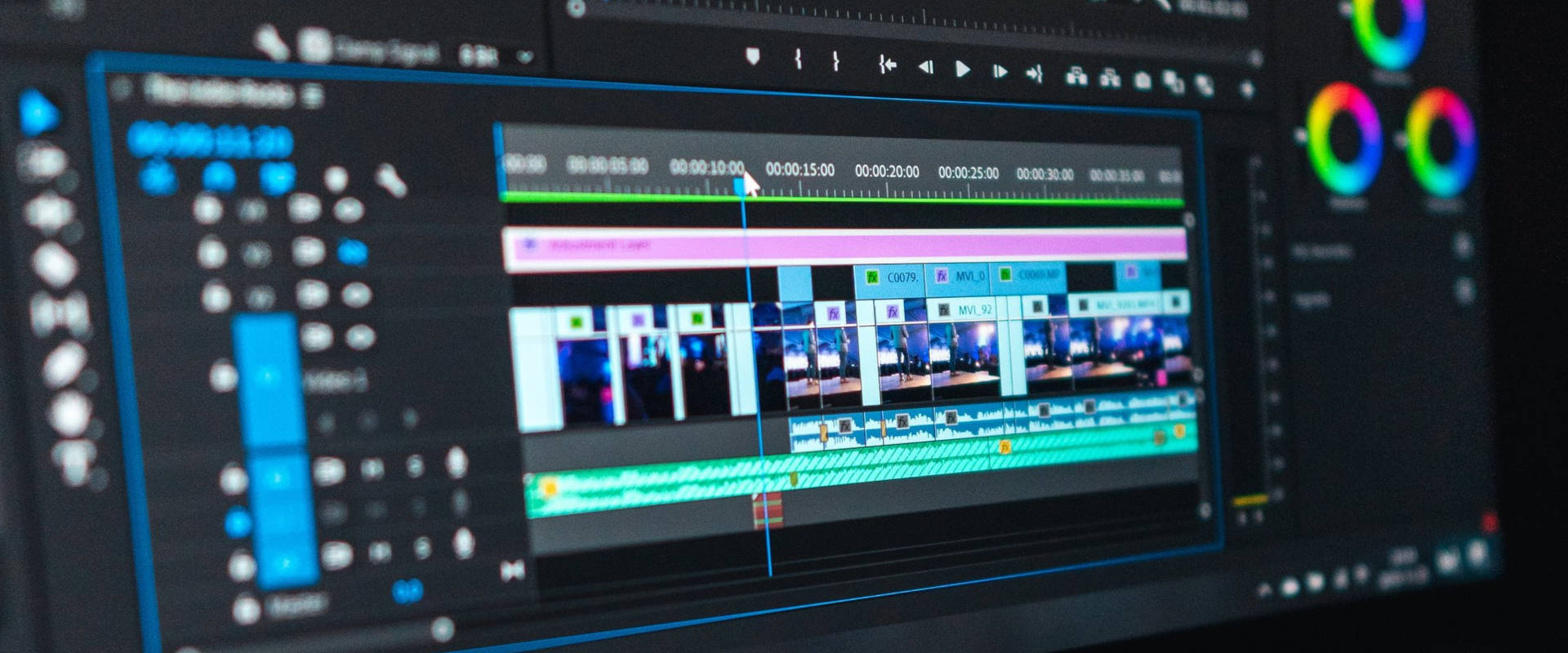
- Basic Interface Walkthrough (Timeline, Media Browser, Tools, Effects)
- File Formats and Codecs
- Understanding video file formats (MP4, MOV, AVI, etc.)
- Compression, resolution, frame rates, and bitrates
2. Basic Video Editing Techniques
- Importing and Organizing Footage
- Importing media into editing software
- Organizing media with bins, folders, and markers
- Basic Editing Tools
- Cutting, trimming, and moving clips on the timeline
- Understanding the Razor tool, Ripple Edit, Roll Edit
- Transitions and Basic Effects
- Using basic transitions (Fade, Dissolve, Wipe)
- Introduction to video effects: Adjusting brightness, contrast, and color
- Audio Editing and Mixing
- Importing and syncing audio with video
- Basic audio adjustments: Volume, pan, and fade
- Introduction to audio effects and noise reduction
3. Advanced Video Editing Techniques
- Multicam Editing
- Syncing and switching between multiple camera angles
- Working with multicam sequences and angle controls
- Advanced Transitions and Effects
- Using advanced transitions (Luma Fade, Morph Cut, Custom Transitions)
- Introduction to keyframing effects for animation
- Motion Tracking and Stabilization
- Basic motion tracking techniques (tracking movement in a scene)
- Using warp stabilizer and other stabilization tools to smooth shaky footage
- Chroma Keying (Green Screen)
- Keying out green screen backgrounds
- Cleaning up edges and adjusting spill suppression
4. Introduction to Motion Graphics
- Basics of Motion Graphics
- Creating text animations (e.g., lower thirds, title sequences)
- Working with shapes and objects in motion
- Introduction to After Effects (or other motion graphics software)
- The After Effects interface: Compositions, Layers, Keyframes
- Using built-in motion graphic templates
- Basic animation principles (Ease In/Out, Timing, Speed Graphs)
- Simple 2D Animations
- Animating position, scale, rotation, and opacity
- Working with precompositions and nested compositions
5. Color Correction and Grading
- Basic Color Correction
- Introduction to color grading and color correction tools
- Understanding the color grading panel (e.g., Lumetri in Premiere Pro)
- Correcting exposure, white balance, and contrast
- Color Grading Techniques
- Understanding the differences between correction and grading
- Applying LUTs (Look-Up Tables) and custom color grading
- Creating cinematic looks with color grading
- Match Color and Shot Matching
- Techniques for matching the color across multiple clips
- Adjusting skin tones and maintaining consistency
6. Advanced Motion Graphics and Visual Effects
- Creating Complex Motion Graphics
- Using After Effects for complex animations (text, shapes, particles)
- Integrating 3D elements into 2D footage
- Visual Effects (VFX)
- Introduction to VFX: Green Screen, Rotoscoping, 3D Integration
- Creating explosions, fire, and other special effects
- Tracking and Masking
- Motion tracking for compositing effects into scenes
- Using masks and mattes to isolate elements or create transitions
- Particle Systems and Effects
- Understanding particle systems (smoke, fire, rain, etc.)
- Creating dynamic effects using particle generators
7. Sound Design and Music in Video Editing
- Sound Editing
- Syncing sound to video and using sound effects
- Introduction to audio mixing techniques (compression, EQ, panning)
- Working with ADR (Automated Dialogue Replacement) and foley sounds
- Adding and Editing Music
- Using royalty-free music or licensed tracks
- Editing music to fit the video length and mood
- Sound design for narrative and emotional impact
- Audio Mastering and Finalizing
- Preparing audio levels for final output
- Exporting audio for different platforms and formats
8. Exporting and Delivery
- Exporting Video
- Choosing export settings based on platform (YouTube, Vimeo, Broadcast)
- Understanding resolution, bitrate, and aspect ratios
- Exporting video with multiple codecs and formats
- Preparing for Different Platforms
- Social media video specifications (Instagram, TikTok, Facebook)
- Exporting for cinematic releases: DCP and ProRes
- File Management and Archiving
- Properly managing and archiving raw and final project files
- Organizing and backing up projects for future use
9. Advanced Video Production Techniques
- Cinematography Basics
- Camera types, lenses, and shot composition
- Working with lighting, framing, and angles
- Understanding depth of field and shot sizes
- Narrative Editing
- Editing for storytelling: Pacing, rhythm, and continuity
- Creating suspense and emotional impact with editing
- Creating Documentary and Narrative Films
- Working with interviews, B-roll, and narrative structure
- Structuring a documentary edit: Act structure, story arcs, and interviews